Archive for the ‘Tutorial’ Category

Lock Objects in SAP

Wednesday, August 19th, 2009

Lock objects are use in SAP to avoid the inconsistancy at the time of data is being insert/change into database.

SAP Provide three type of Lock objects.

- Read Lock(Shared Locked)
protects read access to an object. The read lock allows other transactions read access but not write access to the locked area of the table

- Write Lock(exclusive lock)
protects write access to an object. The write lock allows other transactions neither read nor write access to the locked area of the table.

- Enhanced write lock (exclusive lock without cumulating)
works like a write lock except that the enhanced write lock also protects from further accesses from the same transaction.

Type of Locks
(more…)

Field Exit in SAP

Wednesday, August 12th, 2009

Field exit are use to create programming logic for any data element.It carry out any checks,Conversions or Business related processing of screen fields. Important thing is it can not be debugged.It have its own naming convention FIELD_EXIT_.

In transaction code CMOD choose Text element -> Field exit.

Field Exit Initial Screen

(more…)

Check Tables and Value Tables in SAP

Tuesday, August 11th, 2009

Many ABAPers gets confused initially with these tables. The difference lies in there Implementation and Behavior. Lets have a closer look at each to understand them better.

(more…)

Unicode in SAP

Monday, August 10th, 2009

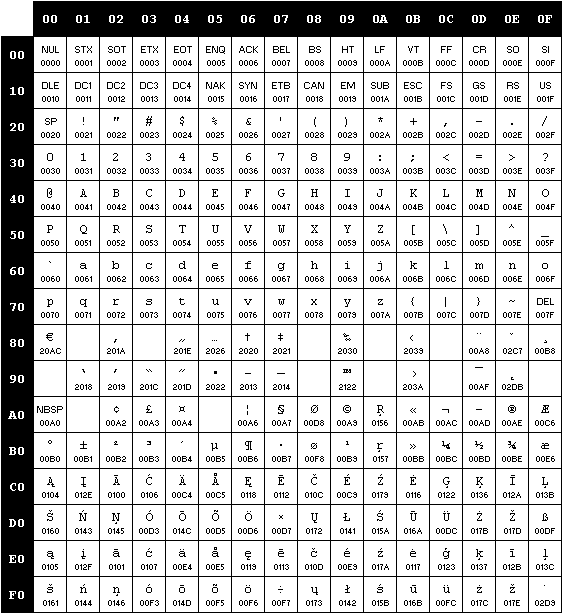
To have a better idea about what is Unicode, let us first look at what is a CodePage.

CodePage

A Code page is another name for character encoding (A character encoding system consists of a code that pairs each character from a given repertoire with something else, such as a sequence of natural numbers, octets or electrical pulses, in order to facilitate the transmission of data (generally numbers and/or text) through telecommunication networks or storage of text in computers).

Code Page

Code Page

(more…)

Tracing your SQL in SAP

Tuesday, August 4th, 2009

The SQL Trace function is an on-demand log of selected SQL statements that are issued against the database through the Open SQL Engine. The SQL Trace can be switched on or off dynamically. The log format is database independent. Besides the SQL statement text, each log record contains information about the point in time when the statement was executed, its duration, its input parameters and results (where applicable) as well as context information.

The SQL Trace is especially useful for Development and Performance analysis.

(more…)