

Often it is difficult to say, which Authority Objects are needed for certain processes in SAP. To avoid too many authorities for technical users in a productive system, the following steps should help to assign only the authority objects that are really needed for transaction exection:
- Create an authority check trace in your test system
- Create a profile that conatins only the needed objects
- Assign the profile to the User

Note! The steps described below should only be done together with you System Administrator.
Step 1
- Go to transaction ST01
- Got Edit - > Filter - > Shared. Set th filter criteria (Trace for user only,
Trace for transaction only, Trace for program only) - Check ‘Authorization Check’
- Save the setting with the save button
- Turn on the trace with the button on the upper left
Step 2
- Do all processes you want to do in your sub system
- Hurry up, because it is not good for the performance of the system to have the trace turned on too long.
- Go back to ST01 and turn off the trace.
Step 3
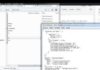
- Click on Analysis
- Set the filter to the user you used for the processes and set the filter for time and date. Press F8
- The list conatins all used authority objects (green lines)








Keep up the good work, I like your writing.
lol fun info bro.
great post as usual!
Valuable info. Lucky me I found your site by accident, I bookmarked it.
I found your blog on google.I would like to offer my site: Acai Berry
Useful post can i translate into German for our sites viewers? Thanks
Hi Kresge,
Pl go ahead and do that for your site viewers. 🙂
Very good suggestions, I’m going to bookmark this and come back to it. I’m curious if you have any follow ups to this post?
You seem to know a lot about this. This is good blog. A great read. I’ll certainly be back.